

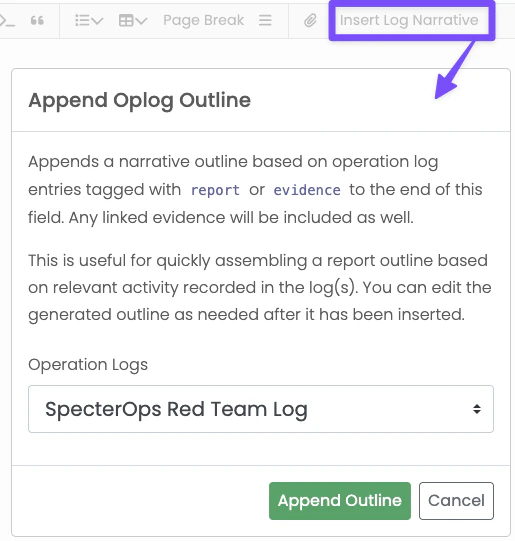
report or evidence. Administrators can also configure
additional tags in Global Report Configuration with the Outline Tags setting.
Configuring Narrative Outline Tags
The Outline Tags setting accepts a comma-separated list of include rules:- Exact tag matches like
report,evidence, orcredentials - Wildcard prefix matches like
cred*ordetect*that match entries likecredsordetection - Namespaced prefix shorthand like
att&ck:
CREDENTIAL, credential, and Credential are treated the same.
Examples
report,evidence,credentialincludes entries tagged exactly withreport,evidence, orcredentialreport,evidence,cred*includescred,creds,credential, andcredentialsreport,evidence,detect*includesdetectanddetectionreport,evidence,att&ck:includes any tag that starts withatt&ck:
What the Outline Includes
For each matching entry, Ghostwriter:- Sorts entries by start date and
- Formats timestamps in UTC
- Uses the default Ghostwriter date format for the date presentation
- Falls back to
N/Awhen key fields are blank - Appends linked evidence objects with references after the narrative line