

BloodHound Integration
Viewing & Managing BloodHound Data
How to view and manage your BloodHound data
An overview of the BloodHound data is available under your Project dashboard. If you have a global server or project server configured,
you will see the BloodHound tab on the dashboard. This tab will show you the configured server’s URL and has buttons for testing the
connection and fetching the latest data.
When a project does not have its own BloodHound API settings, the dashboard falls back to the shared global BloodHound
configuration only when an admin has enabled Allow Projects to Use Shared Configuration. In that case, the project
view identifies that it is using the shared configuration and the cached results from that shared server.
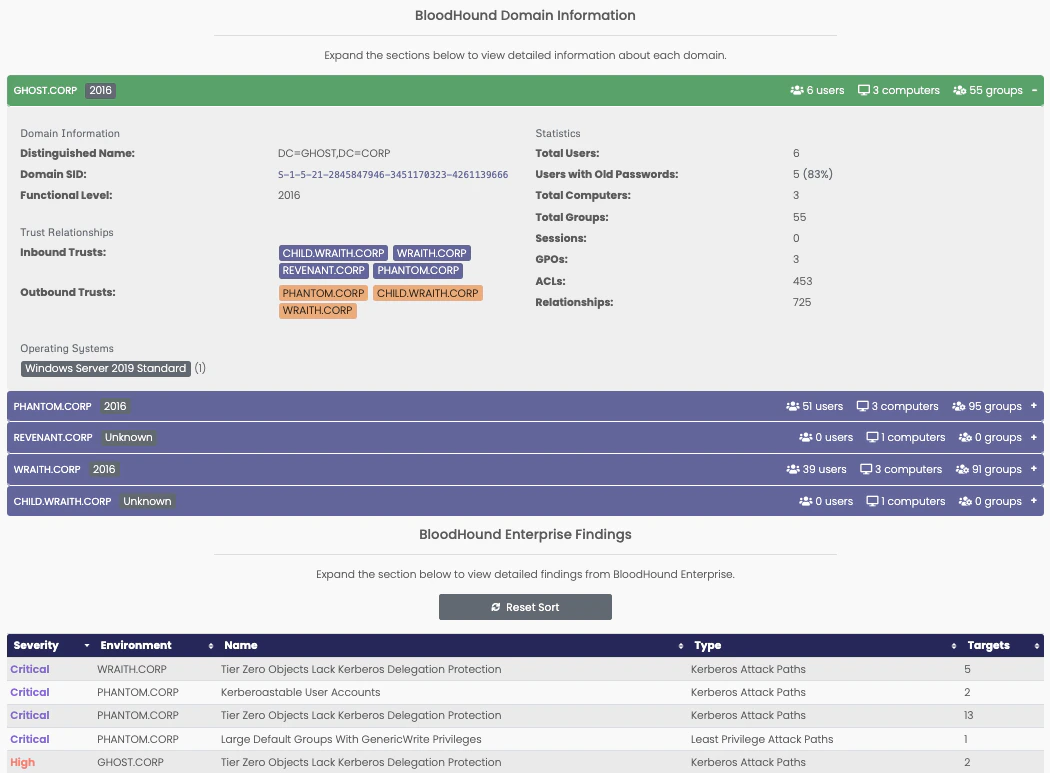
Once Ghostwriter has data, you will see one or more expandable sections. The Domains section shows an overview of the collected domains
data. If the configured server is a BHE server, you will also see a Findings section with an overview of the BHE findings.