> ## Documentation Index
> Fetch the complete documentation index at: https://www.ghostwriter.wiki/llms.txt
> Use this file to discover all available pages before exploring further.

# Configuring Namecheap

> Enabling the Namecheap API

If you use Namecheap to register domain names, Ghostwriter can use Namecheap's API to sync your domain registrations with the Domain Library in Ghostwriter. You can setup this synchronization task to run on a schedule or execute it manually.

On the first run, the task will populate your Domain Library. Subsequent runs will update records and automatically add new domain purchases and expire domain names that have dropped-off your Namecheap account.

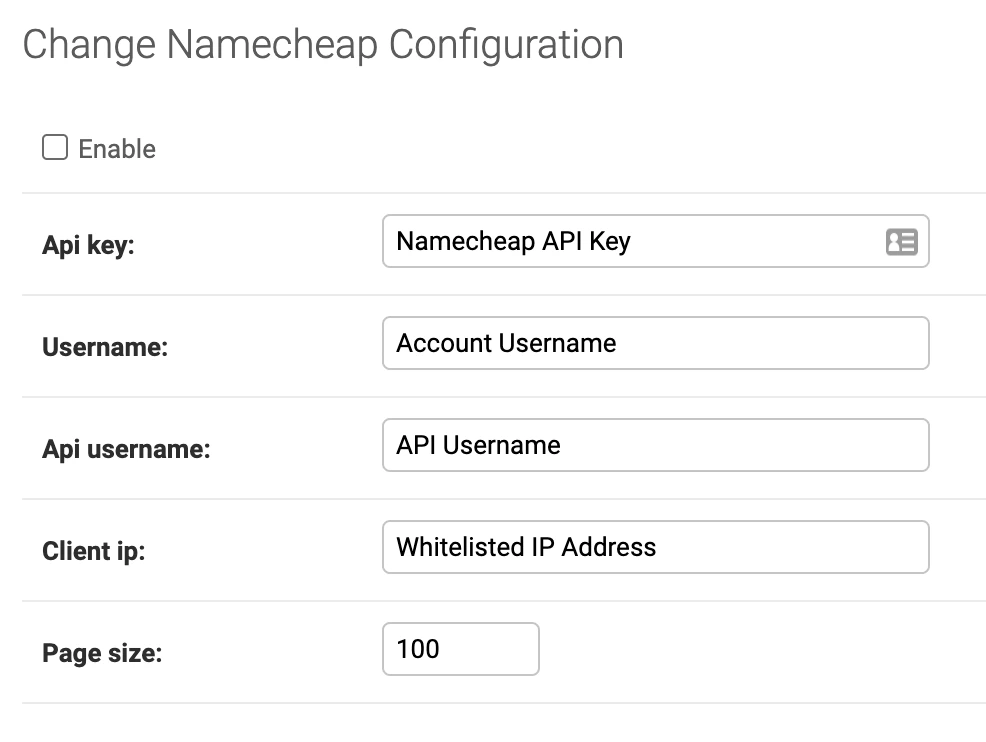
Fill-in the configuration values in accordance with your API configuration. All of the relevant details are in your Namecheap dashboard. You can learn more here:

<CardGroup cols={1}> <Card title="Intro to API for Developers" icon="chevron-right" iconType="solid" href="https://www.namecheap.com/support/api/intro/" horizontal> <img src="https://mintcdn.com/specterops-2/hxAceaiaqVHSIa3R/images/configuring-global-settings/configuring-apis/cdn/1138/assets/img/nc-icon/namecheap-icon-152x152.png?fit=max&auto=format&n=hxAceaiaqVHSIa3R&q=85&s=4031fca181950f0409bcdca3fea75679" className="w-5 h-5 mr-2" alt="Logo" width="152" height="152" data-path="images/configuring-global-settings/configuring-apis/cdn/1138/assets/img/nc-icon/namecheap-icon-152x152.png" /> <span className="text-xs text-dark/7 dark:text-light/6">Namecheap.com</span> </Card> </CardGroup>

<Frame>
  <img src="https://mintcdn.com/specterops-2/hxAceaiaqVHSIa3R/images/configuring-global-settings/image-9.png?fit=max&auto=format&n=hxAceaiaqVHSIa3R&q=85&s=830029dc5cef923a6d7a8fd8b01c9f91" alt="" width="986" height="742" data-path="images/configuring-global-settings/image-9.png" />
</Frame>